Gimble Gaming
How to play
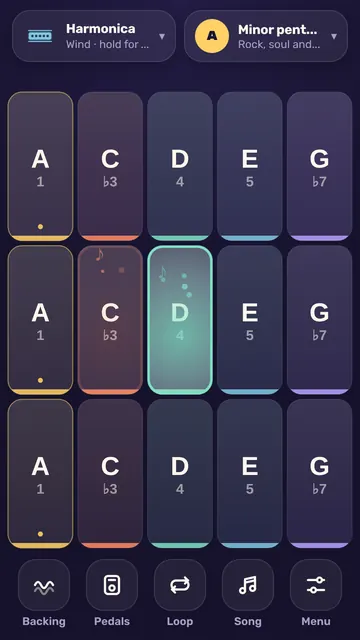
- Tap any pad to play a note; every pad fits the key, so nothing sounds wrong.
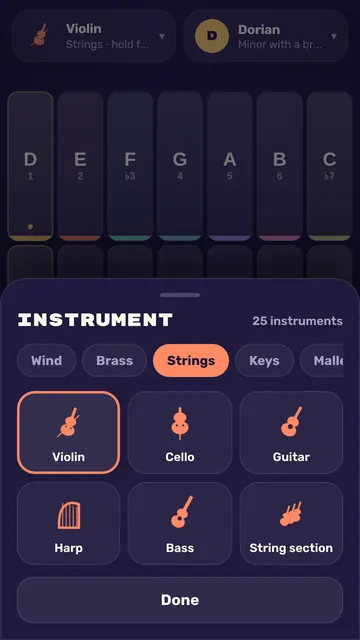
- Use the buttons at the top to pick an instrument, a key and a scale.
- Turn on Backing for a drone or chords, and tap Loop to record a part that repeats.
- Open Learn to hear a tune, practice it on the glowing pads, then play along for stars.
Controls
- Touch
- Tap pads to play, slide to glide, hold and wiggle for vibrato, several fingers for chords
- Mouse
- Click pads to play, drag across them to glide, hold and wiggle for vibrato
Tips
- Gold pads are the home note, so ending a tune on one sounds finished.
- Your first loop sets the length of every layer after it, so start with a short one.
- Three stars in Learn need mostly perfect hits, which land within a tenth of a second.
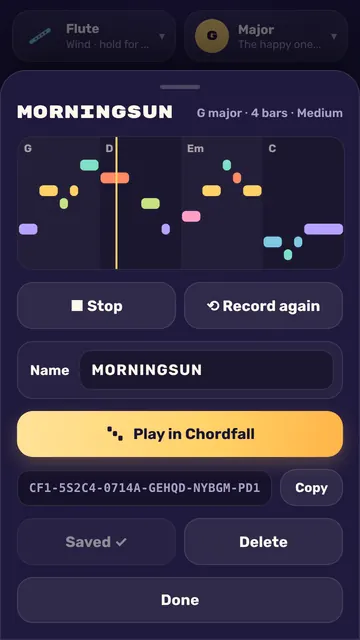
- Song snaps your melody into time, and a song with 3 or more notes can be played in Chordfall.
For parents
Ages 4+Parents: No reading needed to play.
Learn: Keys and scales, note names and scale degrees
- No ads and no purchases
- No chat and no accounts
- We collect no personal data
- Progress is saved only in this browser